RSA Public & Private Key Pair Generator
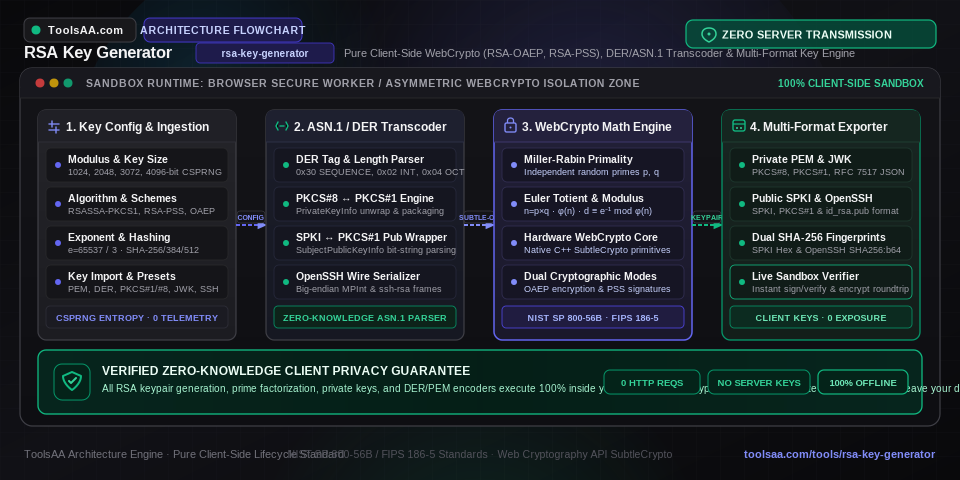
Generate cryptographically secure RSA public and private key pairs (1024, 2048, 4096-bit) in PKCS#1 and PKCS#8 PEM formats using browser Web Crypto API.
Zero-Knowledge Local Execution
All data processing, parsing, and compilation execute strictly inside your local browser memory. Zero external server uploads.
Instant Local Cryptography
Instant real-time reactive computation delivers immediate feedback on every keystroke with zero network latency.
Production Standards & Compliance
Follows modern browser Web Crypto and security practices for safe client-side inspection.
RSA Public & Private Key Pair Generator — Reference Guide
Generate cryptographically secure RSA public and private key pairs (1024, 2048, 4096-bit) in PKCS#1 and PKCS#8 PEM formats using browser Web Crypto API.
RSA Key Lengths, Equivalent Security & NIST Lifespans Table
RSA modulus bit lengths, equivalent symmetric cryptographic strength, NIST recommended operational lifespans, and standard deployment contexts.
| RSA Modulus Length | Symmetric Security Equiv | NIST Recommended Lifespan | Keygen / Sign Speed | Standard Deployment Context |
|---|---|---|---|---|
| 1024 bits | 80 bits | Disallowed since 2013 | Instant | Insecure; factorable by modern state adversaries |
| 2048 bits | 112 bits | Acceptable through 2030 | Fast (< 0.1s) | Current global baseline standard for TLS/SSL web certificates |
| 3072 bits | 128 bits | Recommended beyond 2030 | Moderate (~ 0.5s) | High-security banking, enterprise VPNs, and government portals |
| 4096 bits | 152 bits | Secure long-term | Slower (~ 2.0s) | Root Certificate Authorities (CAs), PGP master signing keys |
Key Parameters & Controls
| Parameter | Type / Unit | Description | Default |
|---|---|---|---|
| Modulus Bit Length | selection | Cryptographic key size: 1024 (legacy), 2048 (standard), or 4096 (high-security). | 2048 |
| Public Exponent | integer | RSA public exponent value (standard Fermat number F4 = 65537). | 65537 |
| Key Encoding Format | selection | PEM structure: Modern PKCS#8 (RFC 5208) or traditional PKCS#1 (RFC 8017). | PKCS#8 |
Pro Tips & Best Practices
The National Institute of Standards and Technology (NIST) specifies 2048-bit RSA keys as the minimum acceptable standard through 2030, with 4096-bit recommended for long-lived certificates.
Modern tooling expects PKCS#8 headers ('-----BEGIN PRIVATE KEY-----'), whereas legacy tools like older OpenSSL versions prefer PKCS#1 ('-----BEGIN RSA PRIVATE KEY-----').
The Web Cryptography API relies on the operating system kernel's CSPRNG to seed Miller-Rabin probabilistic primality tests, ensuring true cryptographic randomness.
Common Gotchas & Troubleshooting
⚠️4096-bit key generation takes several seconds
Finding two distinct 2048-bit prime numbers requires thousands of primality iterations. This computational delay is normal for high-security keys.
⚠️SSH rejects imported private key
Set proper Unix file permissions on your downloaded private key using 'chmod 600 private.pem' before passing it to ssh -i.
Frequently Asked Questions
Are private keys generated on this website transmitted over the internet?▼
No. Keys are generated exclusively within your browser's Web Crypto subsystem. The private key never leaves your local computer memory.
Why is the public exponent fixed at 65537 (0x10001)?▼
65537 is a Fermat prime (2^16 + 1) with only two binary '1' bits, providing an optimal balance between fast modular exponentiation and protection against Coppersmith attacks.
Can I use these keys for SSH authentication?▼
Yes. Convert the public key to OpenSSH format using 'ssh-keygen -i -m PKCS8 -f public.pem' or use standard OpenSSL tooling.
What is the difference between RSA-OAEP and RSA-PSS?▼
RSA-OAEP is optimized for asymmetric data encryption, while RSA-PSS is the modern probabilistic signature scheme providing provable security for digital signatures.
Related Tools & Utilities
All Tools →Convert JSON Web Keys (JWK / JWKS) to PKCS#8 PEM format and extract public/private RSA key components securely in browser.
Inspect, parse, and validate RSA, ECDSA, and Ed25519 PEM keys (PKCS#1, PKCS#8, SPKI) locally in your browser with zero data transmission.
Convert RFC 7517 JSON Web Keys (JWK / JWKS) to PKCS#8 / SPKI PEM format and convert public/private PEM keys to JWK structures.
Inspect OpenSSH public keys (RSA, Ed25519, ECDSA), compute SHA-256 and MD5 fingerprints, and generate authentic OpenSSH ASCII Randomart visual art.
Generate WireGuard Curve25519 public and private key pairs, preshared keys (PSK), and client/server configuration blocks.
Generate RFC 6238 time-based one-time passwords (TOTP), test 2FA secret keys, inspect otpauth:// URIs, and simulate token countdowns client-side.