Dimensional Weight & Chargeable Weight

Dimensional Weight & Chargeable Weight

Interactive Dimensional Weight Calculator & Chargeable Weight with real-time client-side analysis and visualization.

Lbl quick presets
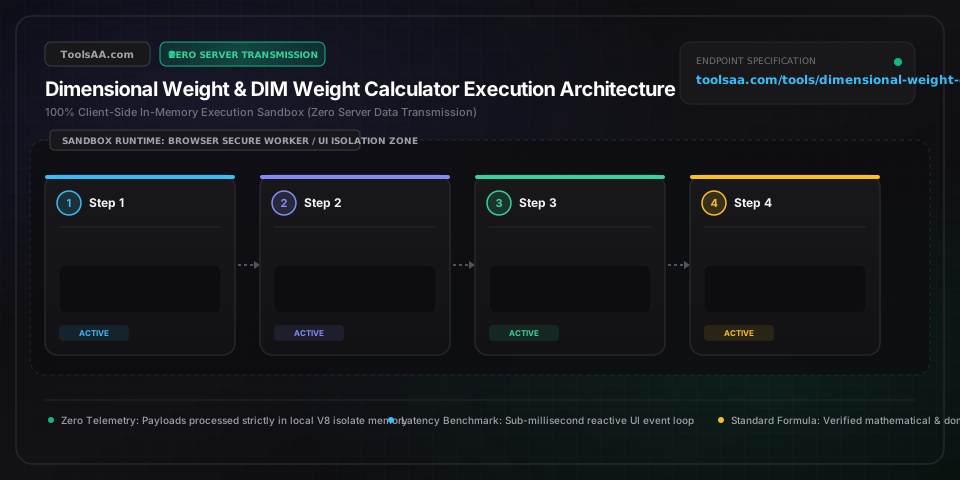
Step num1
Pipe contour scan24.5 × 18.4 × 14.3 Unit in
Step num2
Pipe cubic displacement3.71 ft³ / 0.105 CBM
Step num3
Pipe divisor engineLbl divisor: 139
Step num4
Pipe chargeable verdict47 Unit lb (Badge dim governs)
Card title packaging params
Unit in
Lbl length
Lbl width
Lbl height
Unit lb
Lbl cartons
Lbl active factor: 139
Lbl bulge expansion+2% (Lbl scanned volume)
Lbl zero bulgeLbl avg bulgeLbl heavy bulge
$/Unit lb
$
Lbl3d inspectorBadge dimensions nominal
Svg dim l: 24.0Unit inSvg dim w: 18.0Unit inSvg dim h: 14.0Unit inSvg girth loop: 65.3Unit inSvg combined len girth: 89.8Unit in
Lbl raw volume: 3.71 ft³ / 0.105 CBMLbl density: 5.8 pcf
Lbl chargeable weight titleBadge billed volumetric
47.0Unit lb / Lbl unit box
Lbl est freight total$115.15$115.15 / Lbl box @ $2.45/Unit lb
Lbl scale weight: 21.50 Unit lbLbl dim weight: 46.17 Unit lb
Leg actualLeg dim
Lbl raw dim weight46.17 Unit lbLbl divisor applied: 139
Lbl commercial rounded47.0 Unit lbRule nearest1 lb
Lbl cubic volume3.71 Unit cu ft0.1052 CBM
Lbl cargo density5.8 Unit pcfCls light cargo
Lbl package girth65.3 Unit inLbl girth note
Lbl combined dimension89.8 Unit inLbl max benchmark
Lbl engine status: Engine ok
Stat active carrierFEDEX
Stat billable weight47.0 Unit lb
Stat total cbm0.105 m³
Stat density5.8 pcf
Stat surcharge riskBadge pass
Stat est freight$115.15
Technical Reference & Architecture Guide

Dimensional Weight & Chargeable Weight Guide

Interactive Dimensional Weight Calculator & Chargeable Weight with real-time client-side analysis and visualization.

Dimensional Weight & Chargeable Weight Guide — Client-Side In-Memory Architecture & Data Flow

Key Parameters & Controls

Input Payloadstring

Primary input configuration or data payload.

Default: Sample Data
Target Format / Modestring

Target conversion dialect or operational schema.

Default: Default
Validation Strictnessboolean

Enforce strict schema or syntax validation during processing.

Default: true

Pro Tips & Best Practices

Zero Server Latency

All processing executes entirely inside browser memory with instant feedback.

Keyboard Shortcuts

Use standard Ctrl+Enter / Cmd+Enter shortcuts to quickly trigger evaluation.

Clean Export

Use the one-click copy button to paste production-ready snippets directly into your IDE.

Common Gotchas & Troubleshooting

⚠️Syntax or Format Parsing Error

Verify input payload against standard specifications and check for missing delimiters.

⚠️Large File Performance

For massive inputs exceeding 10MB, process payloads in smaller batches to ensure browser UI responsiveness.

Frequently Asked Questions

How is dimensional weight calculated for FedEx and UPS?▼

Dimensional weight is calculated by multiplying the package's outer Length, Width, and Height (in inches) and dividing the resulting cubic volume by a designated carrier divisor factor. For FedEx and UPS domestic commercial contract accounts, the divisor is 139 (Volume in³ ÷ 139). For retail walk-in shipments, the divisor is 166. Fractions of an inch are rounded up to the nearest whole inch before multiplying, and the resulting dimensional weight is compared against the actual scale weight. The carrier bills whichever number is greater, rounding up to the nearest whole pound.

What is the difference between gross weight and chargeable weight?▼

Gross weight (also called actual weight or scale weight) is the physical weight of the package, contents, and packing materials measured on a calibrated scale. Dimensional weight is a theoretical weight representing the package's physical volume divided by a carrier-mandated factor. Chargeable weight (or billable weight) is the final figure used to determine the shipping invoice. It equals the greater of the gross weight or the dimensional weight, plus any minimum billing rules or oversize floor penalties mandated by the carrier.

Why do carriers use a 139 divisor instead of 166?▼

Carriers lowered the domestic divisor from 194 to 166, and eventually to 139 in 2017 to capture higher revenue on lightweight e-commerce goods that cube out delivery trucks before reaching weight limits. Because dimensional weight equals volume divided by the factor, a smaller divisor in the denominator produces a substantially larger calculated weight. Shifting from 166 to 139 increases calculated dimensional weight by approximately 19.4%, requiring shippers to pack more compactly or pay higher rates.

When does USPS apply dimensional weight pricing?▼

The United States Postal Service (USPS) applies dimensional weight pricing exclusively to Priority Mail, Priority Mail Express, and USPS Ground Advantage parcels whose cubic volume exceeds 1,728 cubic inches (1 cubic foot). If the package volume is 1,728 cubic inches or smaller, USPS bills strictly by actual scale weight regardless of dimensions. For parcels exceeding 1 cubic foot, USPS divides total cubic inches by a 166 divisor across all domestic shipping zones.

What package dimensions trigger FedEx and UPS oversize surcharges?▼

FedEx and UPS impose two primary tiers of size surcharges: (1) Additional Handling Surcharge (AHS) triggers when any package edge exceeds 48 inches in length, the second-longest edge exceeds 30 inches, or combined Length + Girth exceeds 105 inches, adding $18 to $35 per parcel. (2) Large Package / Oversize Surcharge triggers when combined Length + Girth [L + 2(W + H)] exceeds 130 inches. Oversize incurs a $135 to $185 penalty and forces an automatic minimum billable weight of 90 lbs, even if the box weighs only 10 lbs.

How does Amazon FBA determine dimensional weight and fees?▼

Amazon Fulfillment by Amazon (FBA) calculates dimensional weight for inbound and outbound fulfillment using a 139 divisor: (Length × Width × Height) / 139. For standard-size inventory items weighing over 0.75 lb and all oversize inventory items, Amazon compares actual unit weight against dimensional weight and applies the greater of the two to assess pick-and-pack fulfillment fees. Amazon measures exact product packaging contours and rounds dimensions to the nearest tenth or hundredth depending on category classification.

Related Tools & Utilities

All Tools →
Container Loading & CBM CalculatorUtility

Calculate container loading capacity and CBM for 20ft, 40ft, and 40HQ ocean freight. Optimize carton packing, pallet count, payload weight, and container stuffing.

Open tool→
CBM Calculator & Freight Volume (CFT)converter

Calculate shipment CBM, cubic feet (CFT), dimensional chargeable weight across Air, Ocean LCL, and Express courier modes, and optimize 20ft/40ft container stuffing capacity.

Open tool→
Aquaponics Ratio Calculator & Grow Bed SizerUtility

Professional aquaponics system sizing tool using FAO 552 & Rakocy UVI formulas. Calculates feeding rate ratios, fish stocking biomass, media bed volume, sump tidal drawdown, and biofilter capacity in real time.

Open tool→
Air Receiver Tank Calculator & SizingUtility

Size compressed air receiver storage tanks in US gallons, liters, and cubic feet using ASME / CAGI drawdown equations, matching air compressor SCFM supply against peak intermittent demand, allowable pressure band (ΔP), and compressor cycle-frequency limits.

Open tool→
Vector Cross Product Calculator (3D & Area)math

Calculate 3D vector cross product A × B with step-by-step 3×3 determinant expansion, real-time 3D interactive visualizer, unit normal vector, parallelogram area, and orthogonality verification.

Open tool→
Queuing Theory Calculator (Erlang C & M/M/c)math

Industrial-grade queuing theory calculator implementing M/M/1, M/M/c (Erlang C), M/M/c/K (finite buffer), and M/M/c/c (Erlang B loss system) models. Calculate server utilization, delay probability, average wait time (Wq), queue length (Lq), and Service Level Agreement (SLA) percentages. Features automated reverse goal staffing solver, agent shrinkage adjustments, economic cost optimization, dynamic sensitivity matrices, and side-by-side A/B architecture comparison workbench.

Open tool→